Software Requirements Specification
Requirements Introduction
In general, an industry Software Requirements Specification document (also known as an "SRS")
is intended as a part of the contract between the customer and the solution provider. The document
specifies EXACTLY what is being built. Remember the doghouse analogy:
if you are going to build a house for your pet, you might sketch up a quick diagram (so you know how
much wood, how many nails to buy, etc.), then start cutting and nailing away; if you are building a new
house for yourself, that approach isn't nearly detailed enough.
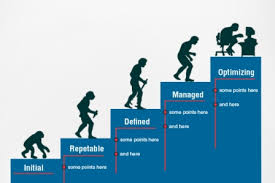
A typical industry standard document, following CMMI guidelines, will be a very extensive book which
contains many sections to detail all aspects of what the software is. The TOC looks very
similar to the following format:
- Scope
- Referenced Documents
- Requirements
- Required States and Modes
- Functional Requirements
- External Interface Requirements
- Internal Interface Requirements
- Internal Data Requirements
- Adaptation Requirements
- Safety Requirements
- Security Requirements
- Environment Requirements
- Computer Resource Requirements
- Software Quality Factors
- Design and Implementation Constraints
- Personnel-related Requirements
- Training-related Requirements
- Logistics-related Requirements
- Other Requirements
- Packaging Requirements
- Precedence and Criticality of Requirements
- Qualification Provisions
- Requirements Traceability
- Notes
- Appendices
- Evaluation Criteria
- Acronyms and Abbreviations
|
|
Even if you are working on a project which follows the Agile development method, you will still
need some sort of requirements documentation. In this case, it frequently takes the form of a
set of user stories which describe what the system must do, sometimes known as "use cases" or
"use case scenarios". These will be coupled with a project tracking board of some sort, often
a whiteboard or a big piece of paper on the wall to which there are sticky notes attached. There may
also be a set of CRC cards (for Classes, Responsibilities, and Collaborations) included which describe
the various parts of the system, what the are (and are not) responsible for, and other classes in the
system with which they interact. Since Agile is a less formalized process than CMMI, there is less
focus on extensive documentation, but that doesn't mean there is NO documentation, just less of it.
AND YOU STILL NEED TO KNOW WHAT YOU ARE BUILDING, AND WHAT THE OVERALL PLAN IS FOR THE PROJECT!!! The
Agile projects on which I've worked still had me produce an SRS document, which contained the
descriptions of all the things just mentioned.
As you can see, the SRS is intended to leave nothing to the imagination. The resulting SRS
MUST be completely un-ambiguous, so that the customer and the solution provider
may completely agree on the product.
Your Requirements Document is intended to capture low-level requirements
for your project, and to elaborate the details of the contract between the instructor and the student
regarding your completed project.
At the highest level, of course, all senior projects have the same two requirements:
- First, each student must demonstrate mastery of fundamental concepts in computer
science and software engineering through the specification, design, development, and presentation
of a working software application and/or system
- Second, each person must reflect a level of integrity consistent with university
policy and established professional ethics. It is assumed that all students will treat their
peers with respect at all times, and will acknowledge in both documents and code the contributions
of all others who have contributed in any way to the project.
However, these two requirements only apply at the highest level, and are not
acceptable as "requirements" for the project. Instead, requirements are intended to show
what the system is going to do, in an itemized and provable way. The
requirements are selected so as to decompose the application's operation into individual pieces, and
normally each requirement is numbered. The numbers are used to track the verification method, to prove
that the software meets all the requirements and does what it's supposed to do. (The shorthand for
this concept is the phrase "works as advertised".)
The number of methods for determining what to list as system requirements is large. The topic of
requirements analysis has been covered by many books and many more websites. It seems everyone has
her own method, and everyone feels her method is best. However, it all boils down to the simple
fact that the system operation must be specified in a very detailed fashion, so that all the
operations are listed, and so they can be proved to be correct. Your customer will want to see how
you prove that you have met all requirements, often before they will pay you. This is the purpose
of "Acceptance Testing" which we'll talk about later in the semester. Check out the
analysis page for a few more details on the subject.
NEW FOR SPRING 2020 — FOR YOUR PROJECTS: Since some of you are continuing with
existing projects, I don't want you to have to do extra work
by starting all over with a new
requirements document. For those teams, all you need to do is continue with your SRS, adding in more
detail now that you've had a semester's worth of development. Try to make your SRS reflect what you
have actually produced as your project, as closely as possible.
FOR EVERYONE ELSE: Since the project focus in CMSI 402 is more geared toward Agile
Software Development, try to put together a set of requirements that are based on the idea of user
stories
instead. See the final section of this page for more information.
For your WATERFALL projects, the Software Requirements Specification (SRS) will be a
deliverable section of your SDF. It will have the format for which an outline is provided in the
next section of this page. The general idea is to itemize all the functional and performance
requirements of the system, using "shall" statements. Focus on what the
system will do, not how it will do it. Try to remember that the
test plan document would be used to prove that the functions work
properly and meet the customer's requirements.
Note that there are two sections, "Functional" requirements and "Performance"
requirements. The difference between these is the dividing line between what the project needs to
do to function properly (e.g., "the system shall
provide clickable buttons for . . . .") and what the project needs to do to
operate properly (e.g., "the system shall . . . when
the 'CLEAR' button is clicked.").
Outline of the Deliverable
Note that requirements are in section 5 of your SDF; since we are discussing the requirements before
the development plan, we have skipped section 4 of the SDF (the Software Development Plan section) for
now. Your Software Requirements Specification document section should be structured as follows (each
of the outline sections is explained after the outline):
            5.1   Introduction
            5.2   Functional Requirements
            5.2.1 Functional Requirement 1
                    .
                    .
                    .
            5.2.n Functional Requirement n
            5.3   Performance Requirements
            5.3.1 Performance Requirement 1
                    .
                    .
                    .
            5.3.n Performance Requirement n
            5.4   Environment Requirements
            5.4.1 Development Environment Requirements
            5.4.2 Execution Environment Requirements
Keep in mind that even though there are subsections, the main sections are expected to contain
text. For example, section 5.2 should have a paragraph explaining what the definition of
"functional requirements" means for this project.
5.1 Requirements Introduction
The introductory paragraph should consist of a one-paragraph description of the system being designed,
and should include a high-level UML diagram of the system components. It should conclude with a verbal
outline description of the document, worded something like "The remainder of this document is
structured as follows. Section 5.2 contains . . . . Section 5.3 contains . . ." and so on.
5.2 Functional Requirements
The introduction to the functional section should describe the features that the completed
system can be expected to have. It should describe what the completed system will do, but avoid
describing how it will be accomplished. Implementation details will be included in another
document, namely the SDD or DDD. The rest of this section will be divided into sub-sections, one
for each of the functions of the system. For example, if your project uses the
Model-View-Controller paradigm, there will be three functional requirement subsections, one for
each of Model, View, and Controller.
Each sub-subsection should reference a single discrete functional requirement. Each functional
requirement should be given a meaningful name which describes the requirement. For example, if
the first functional requirement is to provide a graphical user interface to the system, then
the first subsection might be labeled:
5.2.1 Graphical User Interface
A brief description of the functionality (1-2 paragraphs, as needed) would follow, then the actual
requirements statements, in shall statement form, would follow that.
            5.2.1.1  The Graphical User Interface (GUI) shall provide a menu system to access all
                     functions of the application.
            5.2.1.2  The GUI shall provide a set of button widgets to access all functions of the
                     application.
            5.2.1.3  The GUI shall accept shortcut keys to access all menu functions.
A couple of things to note:
- All "shall" statements must be numbered.
- NO "will" or "should" statments should be numbered.
- ONLY one requirement in a requirements statement. This means, break things up into
separate statements. If you see the word "and" you should consider that as (probably)
two statements.
- "Will" and "should" statements MUST be associated with a requirement
statement. The requirement statement should immediately precede the "will" or
"should" statment in this case.
- There can be more than one "will" or "should" statment associated with any
"shall" statement.
- When specifying performance requirements (see following), be careful about specifying ranges
of performance measures. They may come back to bite you in the end.
- Try to write your requirements so they are testable statements.
- ALWAYS watch out for "weasel words"!
Here is an augmented repeat of the text above, to try to put it all together for you as an example:
            5.2.1    Graphical User Interface
            The Graphical User Interface for the application provides the user with a way to select the desired
            function from those which are available in the application.  Users may optionally use several methods
            for selection, all of which are considered synonymous to the application's operation.

            5.2.1.1  The Graphical User Interface (GUI) shall provide a menu system to access all
                     functions of the application.
                     Application functions will include, but not be limited to, the following functions:
                        * File Open
                        * File Close
                        * File Save
                        * Edit file
                        * Edit undo
                        * Edit re-do

            5.2.1.2  The GUI shall provide a set of button widgets to access all functions of the
                     application.
                     Application functions accessed by the buttons are the same as in requirement 5.2.1.1 above.

            5.2.1.3  The GUI shall accept shortcut keys to access all menu functions.
                     Application functions accessed by the shortcut keys are the same as in requirement 5.2.1.1 above.

            5.2.1.4  The File Open operation shall display a file chooser dialog to the user.
                     The file chooser dialog will allow the user to select the desired file.
                     The file chooser dialog will allow the user to single click the file name, which should
                     make that file name appear in the selection window "file name" text area.
                     The file chooser dialog should cause the selected file to be opened by double-clicking the
                     file name in the file chooser window.
                     The file chooser dialog will cause the selected file to be opened by clicking the "Open"
                     button within the file chooser dialog window.
5.3 Performance Requirements
This section should describe any performance requirements that exist for the completed system.
Each subsection should reference a performance requirement, and should be given a meaningful
name which describes the requirement. For example, if the first performance requirement is to
perform a search of a database and return the first record with 10 seconds of clock time, then
the first subsection might be labeled:
            5.3.1    Search Results Return Time
            5.3.1.1  The application shall return the first results of any database search within 10
                     seconds of the time the user submits the search request.
Notice that the requirement says nothing about "clicking a button" or "selecting 'send' from a
menu". The lack of such language in requirements reflects the focus of the document on what
the application does, NOT on how it does it.
A brief description of the requirement (1-2 paragraphs, as needed) follows the requirement. In
this case, one might explain that once the user has finished entering a query at a client, it
should take no more than 10 seconds of user clock time for the first result to be returned to
the client from the server. One might also explain that the 10 second limit does not include
the time required to sort results before displaying them to the user, or that there is no
requirement for all results to be returned within the 10 second limit. Other performance
requirements might specify a minimum or maximum (specify how much) amount of disk space or
memory.
5.4 Environment Requirements
This section should list the software, hardware, and other resources needed for either the
development or deployment or execution of the completed system. If any resource is unusual,
provide a brief description of the resource, and a justification for using it. If a resource is
not currently available, explain what steps will be taken to acquire it.
If there are separate requirements for development and deployment, use one subsection for each as
shown in the outline above. Otherwise, list all environment requirements under the main heading
for this section. The following is an example of an Environment Requirements section for a
Computer Chess project from several years ago:
               Following are the hardware requirements for Computer Chess:

                      Category          Requirement
                  ----------------   -----------------
                  Processor          Pentium II 266Mhz
                  Hard Drive Space   10MB
                  RAM                128MB
                  Display            800x600, 256 colors
                  Sound Card         Optional

               The exceptional RAM requirement is necessary to support the Geraldian algorithm for
               the Computer Player's game tree.  This algorithm requires a large amount of RAM.
               There will be limited sound functionality unless the user has a sound card.

               Following are the software requirements for Computer Chess:

                      Category          Requirement
                  ----------------   -----------------
                  Operating System   Windows NT
                  Compiler           Microsoft Visual C++
                  Graphics           Adobe Photoshop

               Windows NT is required for this project.  Because of the scope of the project, there
               will be no attempt to test the program under Windows 98.  The program will be written
               in C++ using Microsoft Visual C++.  Adobe Photoshop will be used to produce the
               graphical images for the project.
Sample Requirements Document
This link will take you to a Microsoft Word
Document (or alternatively a PDF version) which
is an example of a requirements specification. It is the requirements model for the TempConvApp
project, in the sample project directory on the web site. This, as we have discussed in class,
is an application that converts temperatures in a browser-based Java applet. Note that the
document is much more detailed than the one you will need to execute for your project. However,
pay special attention to section three of this sample, as it provides the specifics of
HOW to write requirements. The main things to remember are:
- Only one requirement per "shall" statement
- Make the requirements "test-able"
- Number each requirement
- Use "will" and "should" for things that are NOT requirements to aid
understanding
Agile — User Stories As Requirements
Agile works in a completely different way than Waterfall. Instead of trying to document all of the parts of
a complex system up front, meaning at the very beginning of the project, Agile simply gets the team to
design and build one simple part or feature, and then addes more details to it as time goes on. Further,
the requirements are focused on meeting the needs of the user or customer, on delivering immediate business
value, and on inviting collaboration.
How Agile Does It
In software engineering, as in many other disciplines, gathering requirements is called requirements
elicitation. This process collects the requirements and combined them into a document of some form. As
we've seen in Waterfall, this is a Software Requirements Specification or "SRS". However, in Agile/Scrum,
the requirements take the form of things called user stories. This name is not chosen by accident. The idea
is to have the customer walk the team through a typical use scenario, with each of the steps being written
down so that at the end, the team [and the customer/user] will have a complete "story" of what that portion
of the software must do. This helps the team to know:
- What: what is being requested for this feature or part of a feature that is short and
simple
- Who: describes the functionality from the standpoint of the person who will actually
be using the software or feature
- Why: encapsulates the "value" of the software or feature so that the team can
thoroughly understand what the request is being driven by
- When: prioritization allows the team to associate an element of time to what the
user story should accomplish; those that have greater business value or more time sensitivity
User Story Format
With Agile, as with Waterfall and requirements statements, there is a very specific format for the user
stories. However, the format is much more user-friendly
:
As a <type of user>, I want <some goal>, so that <some reason>.
Here's how the parts in angle brackets are described:
- As a <type of user>: it is important for the developers to know the
viewpoint of the user who will be using the application. It will make a significant difference if
you develop code from the perspective of an end user who is proficient with computers as contrasted
with a user who is not technical at all.
- I want <some goal>: developers need to know what the user story is
trying to accomplish; this is similar to the
what
focus of requirements in Waterfall. The
developers must fully understand the feature request in order to build the right thing.
- So that <some reason>: this is perhaps the most critical part of
the entire statement, since it pokes directly at the idea of providing business value; if
there is no value in the purpose of the user story, it will likely be eliminated.
Here is an example from your [Ashmore p. 116] which shows how this would look for the case of a simple
weather application. The application is supposed to be designed to allow users to find out weather
reports and get alerts for specific areas of the world. A typical requirement might look like this:
   As a concerned and retired grandmother, I want to receive alerts for areas where my children and
   grandchildren live so I know when I need to worry and call them to make sure they are safe.
This user story clearly defines all three of the items in the list: type of user [grandmother], what is
wanted [alerts], and the reason it is wanted/needed [so I know to call them]. The who, what, and why
make a very specific combination so that the developers have much more to work with than the traditional
way of Waterfall requirements — they have context for
this part of the software. This helps to insure that the team will build the right thing.
A user story is not a specification, but a communication and collaboration tool. User stories should
not be handed off to the development team but be complemented by a conversation.
[Pichler 2010, in
Ashmore, p 117]
FOR YOUR AGILE PROJECTS: you should produce a document that contains the user stories
for your project. At this early stage of the game, they will most likely be epics
, which will
need to be broken down into smaller child stories
which can be coded and tested in a single
sprint. There is much more information on the requirements page from another class, which is available
from this link.
Next Document