CMSI 185: Welcome to Week 02
This Week's Class Agenda
Let's Start Programming!…
This week we will start experimentating with concepts which, as beginning programmers, you have all been longing to get into. We'll start with some design representations, and then move into some code and algorithm examples to get you all going strong.
- More on modeling designs and representations
- Web pages, script tags, and JavaScript (.js) files
- VERY basic program input and output
- Variables, memory organization, and data storage basics
- Formulating algorithms and some famous examples
- "Toy" computing program problems
Program Modeling: Designing the Doghouse
Let's say your dog needs a new house. You wouldn't just go down to the local lumber yard and buy a bunch of wood, then start building. You'd need a plan. How do you know how much wood to buy? How many 2X4s do you need? How much plywood? How many nails? How many screws? It would be wasteful to approach the task this way — wasteful of material if you buy too much, or wasteful of time if you buy to little and must make repeat trips to the store. You'd need a plan, some sort of design description from which to work.
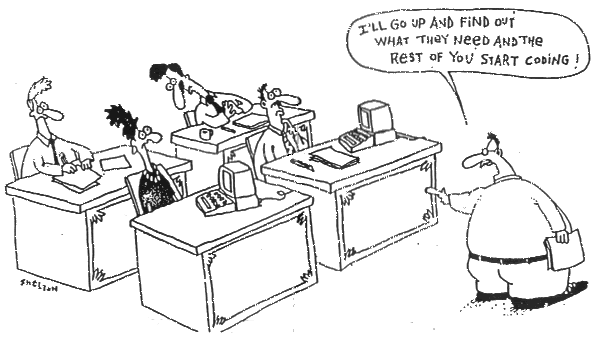
Software construction is no different. You can't just sit down and start coding and expect a successful implementation of a project. You must plan things out so that you know what to build, how the parts will fit together, and how they will interface with each other properly. That's why we talked about UML last week. This cartoon demonstrates the irony:
One of the best ways to work out what a program should do, meaning what its functionality should be, is to make some kind of diagram. One of the earliest methods of this is the "flowchart", which is still often used in the software industry to show program control flow. Here are some links to several examples from the XKCD web comic:
- Understanding Flowcharts
- Tech Support Cheat Sheet Flowchart
- How to Write Good Code Flowchart (we'll see this again later…)
- Learning to Cook Flowchart
- Flowchart Trap
We'll see a lot more design later in the semester; the important point to remember is to start with some sort of an idea of what you are building.
Data Types and Logic
One thing that is required for program operation is the ability to save temporary values of any part of a computation. This is done by storing these values in memory locations called "variables". A variable is simply a specific memory location (or set of them) which is referred to in the program by a name. All programming languages have variables, but different languages have different ways of allowing names to be assigned. Most languages (and particularly JavaScript which we'll use) have only a few constraints. Read section 2.3.2 for a full explanation.
Variables must conform to some sort of data type, which is a way of categorizing them. The JavaScript interpreter needs to know how to handle the data stored in a variable to properly proceed with the computation. JavaScript has six data types, as shown in Section 3.1 of your text:
- Booleans which can be either
trueorfalse - Numbers such as
123or-2e11(integers) and12.345(real numbers) - Text such as
"This is a sentence"or"Hello"(called "strings") - undefined a special vaue which we'll see later
- null which is another special value for "empty"
- Objects which are special programmer-defined variables
Boolean values are used for logic decisions. We'll discuss the details of this in the classes on loops and decisions in a few weeks. There are only a few basic logic operations: AND, OR, XOR, and NOT. Each of them has a method of deciding what output is produced for a specific set of inputs, which can be summarized in a "truth table". See section 3.2 of your book for a complete explanation.
Numbers are supported by the usual operations: addition, subtraction, multiplication,
and division. One other operation to which you may not have been exposed is the modulo
operator, which produces the "remainder" of a division operation. The modulo operator is
represented by the percent sign (%). For example, the result of 13 % 5 is 3,
because when 13 is divided by 5, the result is 2 with a remainder of 3.
Question: what is the result of: 123.45 % 29? Does this result make sense with calculating
123.45 / 29? Try it out and see what happens.
Numbers also appear in different number bases (what used to be called "modern math" in the 1950's). While any number can be used as a base for a number system, there are four which are most often found in Computer Science: Decimal (base 10, duh), Binary (base 2, more duh), Octal (base 8), and hexadecimal (base 16). Octal isn't used much any more, so we won't spend any time on it other than a simple mention. It is important for Computer Scientists to know how to convert between the systems, and there is an easy algorithm to do this, which is called double-dabble (among other names).
Strings are ordered sets of characters. Strings are a very special entity in the JavaScript language, as we'll see over the next few classes. Strings are actually handled in JavaScript as "objects" and have some really cool built-in operations that can be performed. We'll see some in class. Strings are also made up of "codepoints", which are ways of representing the characters in the string so they display the proper glyphs on the computer screen. Read the section on text in your book (Section 3.4) for a more complete explanation.
Undefined and null are special values. The first of these indicates that the value is not known. The second indicates that the value is definitely non-existent (empty). See section 3.5 of your textbook on this item.
Finally, Objects are data that don't fit into any of the other data types. An object is a thing, and has attributes called properties, which have values. We'll play with this some in class so you can get the idea, but if you think of a thing in the real world, like a car for example, and think of the parts that make up the car (wheels, seats, hood, odometer, engine, and so forth), you can understand it. The car is the object, and the parts are the properties. If the car has a 427 cubic inch V8 engine, that would be the value of the engine property.
The idea of names is important, to JavaScript programmers and also to programmers in any language. Variables must have names as discussed above, so that the memory locations to which they refer can be used in the program in meaningful ways. Javascript has specific rules (only a few) about naming, but there are conventions which should be followed:
- names must NOT start with a number
- names cannot contain mathematical or logical operators
- names are not allowed to contain punctuation characters except the underscore
- names can't contain spaces
- names can't be JavaScript keywords
- names are case sensitive: fooBAR is distinct from FOObar
The other thing about names is the convention of "meaningful" names. Try to make these
variable names reflect the purpose for which they are used. If you are creating a variable to
contain the shirt you are wearing (which can change from day to day) you wouldn't call it
s, you'd call it my_shirt or perhaps shirt_for_today. You
might also use what is called "camel case" to create a name like
shirtForToday. Names apply to variables, and also to functions, which we'll discuss
in a couple of weeks.
Other than that, anything goes. We'll practice creating some names in class
Basic Input and Output
| Two things that are important to any program are the ability to get input and produce output. In order to be useful, the program has to process inputs; in order to be used for more than one specific task, a program must handle different inputs at different times, usually from the program's user. Finally, in order for the user to see the result, there must be some output produced in a human-understandable way. Javascript has two basic built-in things for doing these tasks. Input can be done using a method called "prompt", and output can be done with "alert". We've seen some examples of this in class already, and we'll do some more. The input and output behaviors are useful for helping define the input and output parts of an algorithm which is what much of Computer Science is all about. | 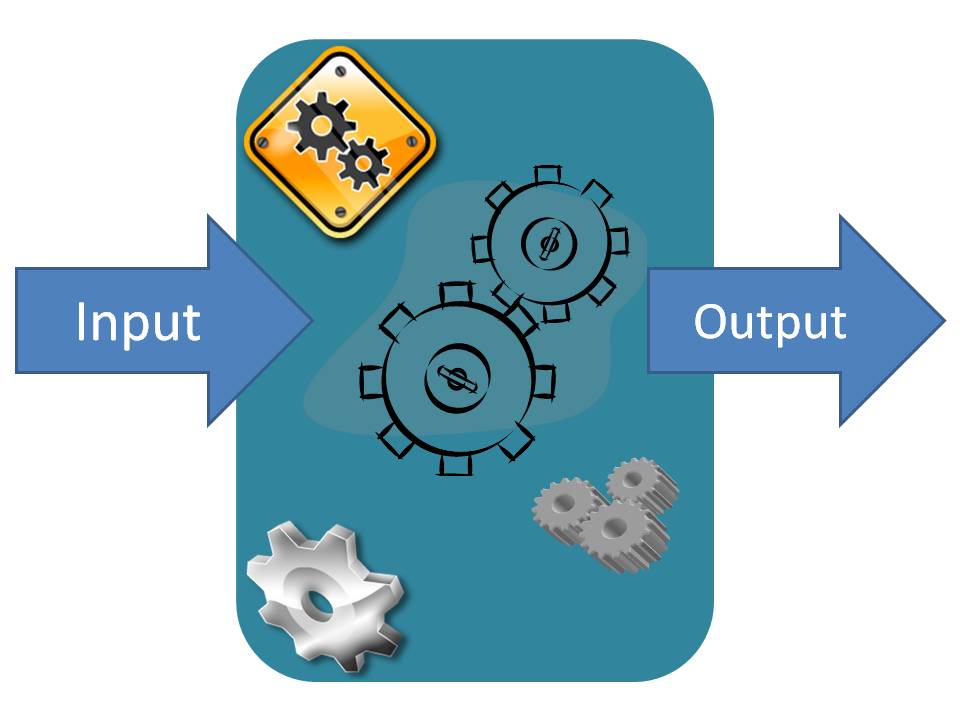 |
It's a time-honored tradition, BTW, that one of the first things a programmer does when learning a new programming language is write the venerable "hello world" program. Of course, in JavaScript, this is trivial: simply "alert('Hello, world!');" does the job. Try it in the script runner for yourself! And if you are interested (who isn't!!) there is a comprehensive list of over 107 ways to write hello world programs in different languages at (where else!) this WikiPedia page.
Expressions and Statements
In programming, a distinction is often made between types of "sentences" in the language. In JavaScript there are two basic types, (as you may have guessed) Expressions and Statements. The basic difference between them is that an expression returns a value while a statement does not. However, the real power of the language is that when the expression returns its value it can be immediately used in further computation; the returned value also has an associated data type, which means that any operation or built-in function associated (as a property) of that data type can also be immediately applied.
Statements are good for defining things and for performing the actions that a script needs to do. There are five main categories of statements, as shown in your text in section 2.3.3.
Algorithms
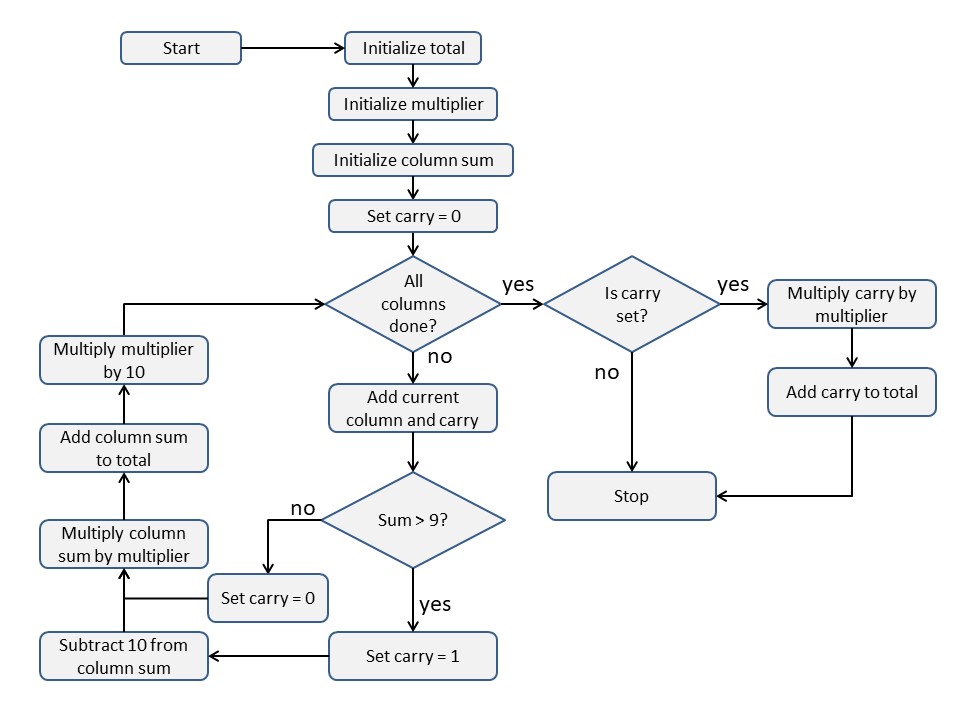
Algorithms are the real "meat" of computer science. Remember, an algorithm is a finite set of steps which is used to perform some procedure or solve a problem, which must halt. Algorithms can be simple or complex, and may be expressed as common language, in paragraph form, as lists of steps, or even as something called "pseudocode". This name applies to any formalized method of using language-like text to express the operational steps of an altorithm. Here's an example of the one way to do pseudocode for the addition algorithm for two numbers (and only for two numbers!):
    1. total := 0
    2. multiplier := 1
    3. columnSum := 0
    4. start at the right side
    5. carry := 0
    6. columnSum := sum of current column and carry
    7. if (columnSum > 9) then:
           a) carry := 1
           b) columnSum := columnSum - 10
         else:
           a) carry := 0
    8. total := (columnSum * multiplier) + total
    9. multiplier := multiplier * 10
   10. move to next column to the left
   11. repeat steps 5 through 8 until all columns are added
   12. If final column results in carry then:
           a) total := (carry * multiplier) + total
Algorithms are important in real life, too. If you think about it, nearly everything you do with any regularity can probably be stated as an algorithm. Even such things as starting your car, flossing your teeth, or (of course) booting your computer can be expressed algorithmically. The trick to them is being able to carefully think about the activity so as to identify each separate step. This is also known (in the software world) as functional decomposition, meaning you are looking at the operation's individual steps (decomposing the operation) in terms of their individual function in the context of the overall process.
In computer science, algorithms are important for a number of reasons:
- We solve computational problems
- We can prove correctness of computations
- We measure algorithmic (and hence programmatic or functional) efficiency
- We help standardize problem groups
- We spread knowledge and expertise
We'll talk about a few algorithms in class, and you will also implement some in your homework problem sets. Here, though, we are talking concepts, so the examples are left out by design for now.
Making an algorithm is actually pretty easy. There are three things to remember:
- The algorithm must be expressed in some sort of language; this can be, but doesn't have to be, a programming language — pseudocode is perfectly acceptable.
- When writing pseudocode, there are certain default conventions used, such as the ":=" (a colon followed by an equal sign) to express assignment, but they are conventions and are not strictly necessary if you have your own method/convention. The intent is for consistency.
- The process is, by nature, iterative, meaning you will probably need to go through the breakdown several times to get them to a level which properly and concisely expresses them.
The basic steps are done as follows:
- Describe the problem: this can be done in standard language, a paragraph, bullets, etc.
- Break down the problem into the steps you can readily identify
- See if you can break those steps down further
- Write the steps in some sort of organized order (pseudocode is good for this)
- Work through the algorithm by hand to see if it works
- Implement the algorithm in code
Note that this is only one way to perform this process; you may learn other methods in other classes as you move through your career. Another interesting note is, we have just created an algorithm to create an algorithm!!!
In fact, to tie it all together, here is a flowchart for the addition algorithm above, just to drive home the point: